Binance Founder CZ Issues iOS Warning: Is Your iPhone Affected?

Binance founder Changpeng Zhao, known as CZ, says users on iOS 18.4 to 18.7 will see security pop-ups in most Binance ecosystem apps and websites.
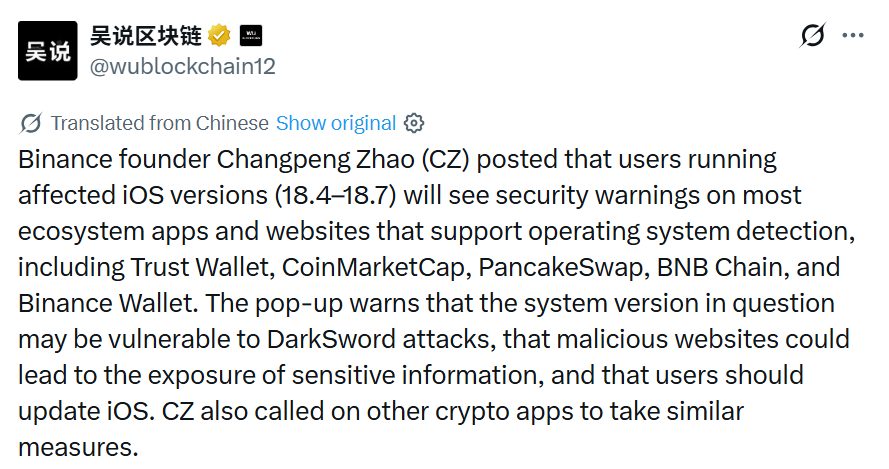
So if your iPhone runs any of these versions, you are the user this warning is meant for. The pop-up says your system may be open to DarkSword attacks, and it asks you to update iOS, according to the Wu Blockchain official X account.
Binance Founder CZ Warning: What the iOS Pop-Up Says
In an update on X, CZ said the alert will show on most ecosystem apps and sites that can detect the phone system. He named Trust Wallet, CoinMarketCap, PancakeSwap, BNB Chain, and Binance Wallet.
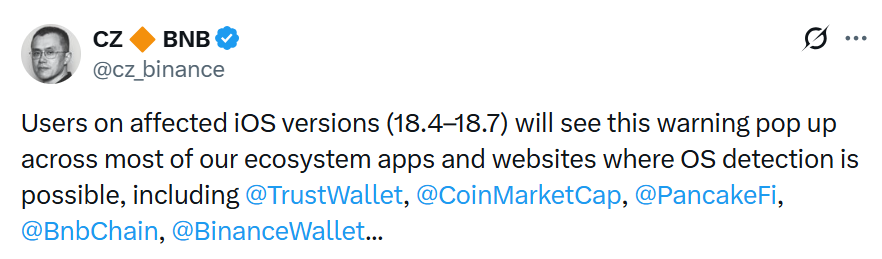
The message warns that a risky website could expose sensitive data, and it tells users to update their phone. CZ also asked other crypto apps to add the same kind of notice. You can read his words on the official CZ account on X.
Is Your iPhone Affected? Check Your Version
The warning applies to iOS 18.4 through 18.7, so the first step is to check what your phone runs. Open Settings, tap General, then tap About, and look at the iOS version line.
If it shows a number from 18.4 to 18.7, you may see the pop-up and should plan an update. Apple lists its fixes on its official security updates page.
What Is DarkSword, and Why Do Crypto Wallets Matter?
Trust Wallet said earlier that exploit tools like DarkSword can aim at weak spots in older versions to reach wallet data.
An exploit tool is a program that uses a software flaw to get into a device, and a wallet app cannot fully protect you if the phone itself is open.
This is why the advice is about the phone and not about one single app. You can follow the alert on the official Trust Wallet account on X.
How to Update and Protect Your Crypto Wallet
The simple fix is to update your iPhone to the newest version that Apple offers for your device. Back up your phone first, and then open Settings, tap General, and choose Software Update.
Never tap links from strangers who say your wallet is at risk, and never share your seed phrase, which is the secret word list that unlocks your wallet. Only trust pop-ups inside apps you downloaded from the official store.
The Bottom Line
The Binance founder is asking users to treat the device updates as part of wallet safety. If you are on iOS 18.4 to 18.7, update first and then use your crypto apps as usual. Follow the website for more crypto news on wallet security.
Disclaimer: This article is for information only and is not financial or investment advice. Crypto assets carry risk, including the loss of funds, so verify current details with official sources.