Nodepay Wallet Connection is Live: Get Ready for Token Launch

Nodepay Wallet Connection is Live: How to Prepare for the Token Launch
Nodepay has officially launched its wallet connection feature, allowing users to securely link their wallets in anticipation of the upcoming token launch. This is a crucial step for those looking to exchange Nodepay Points for tokens. To help you prepare, we’ve created this step-by-step guide for a seamless wallet connection process.
What is Nodepay?
Nodepay is an innovative platform designed to allow users to earn Nodepay Points, which can then be exchanged for Nodepay coins. It simplifies the process of connecting wallets, earning rewards, and participating in exclusive Nodepay airdrop events.
Additionally, the Nodepay dashboard provides an easy-to-use interface for managing your assets, tracking rewards, and connecting your wallet for upcoming token launches.
Why Connect Your Wallet?
If you're planning to exchange your hard-earned Nodepay Points for tokens, it’s essential to link your wallet to the Nodepay wallet connect feature. This one-time setup ensures your participation in the Nodepay airdrop and secures your wallet address for the Nodepay listing date.
Once connected, your wallet address cannot be changed, so double-check the details before finalizing the connection. The Nodepay extension ensures a secure, smooth connection for all users.
How to Connect Your Wallet?
Follow these straightforward steps to connect your wallet and be ready for the token launch:
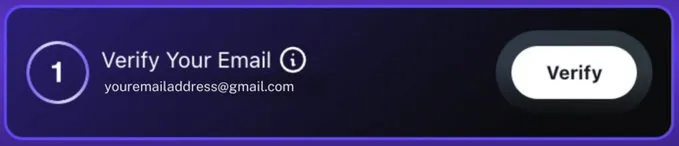
Step 1: Email Verification
Click the 'Verify' button in the Nodepay login box on your Nodepay dashboard
Look for a verification email in your inbox.
Open the email and click the confirmation link (valid for 24 hours).
Wait for the green ‘Verified’ checkmark to appear on your dashboard.
Tip: If you don’t see the email, check your spam folder or click 'Resend Email' after 3 minutes.
Step 2: Connect Your Wallet
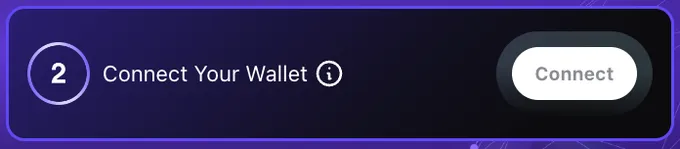
In the 'Connect Your Wallet' box, click 'Connect.'
Choose your Solana wallet from the list of available wallets.
Sign the verification message to confirm your Node wallet.
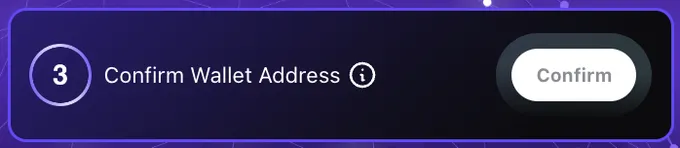
Step 3: Confirm Wallet Address
Click 'Confirm' to finalize the connection.
Check your email for a wallet confirmation link (valid for 1 hour).
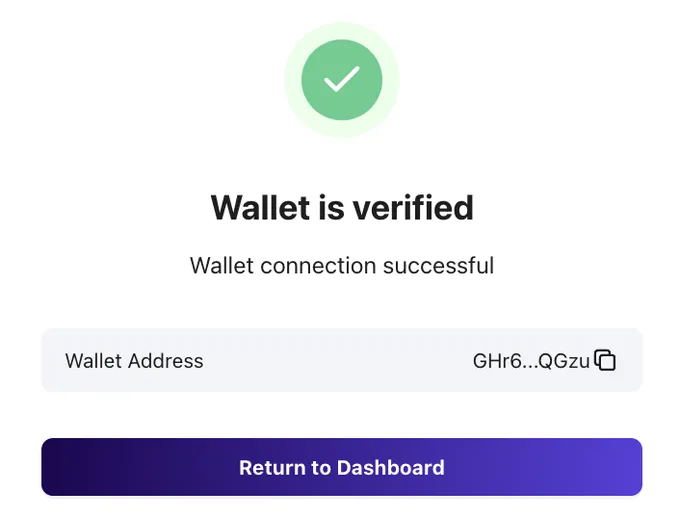
Look for the ‘Wallet is verified’ success message to confirm everything is set.
Important Notes to Remember
Once verified, your wallet and email address cannot be changed. Double-check the details before confirming.
If you see the message ‘Wallet not detected,’ refresh your page and reconnect.
Mobile wallet connection for iOS and Android will be available soon.
Ensure your wallet has a small amount of SOL to claim your Nodepay airdrop.
Conclusion
Nodepay’s wallet connection feature is now live, and connecting your wallet is essential for participating in the Nodepay token launch. Make sure to follow these simple steps to ensure a smooth setup and be ready for the upcoming token drop.
Whether you're using the Nodepay web extension or Nodepay wallet extension, it’s a straightforward process to get prepared for what’s next in the Nodepay payment gateway..
10 months ago
Ethereum news

10 months ago
Cryptocurrency market updates
10 months ago
Bitcoin halving news