Simplify CS2 trade bots Using Smart Trade Bots

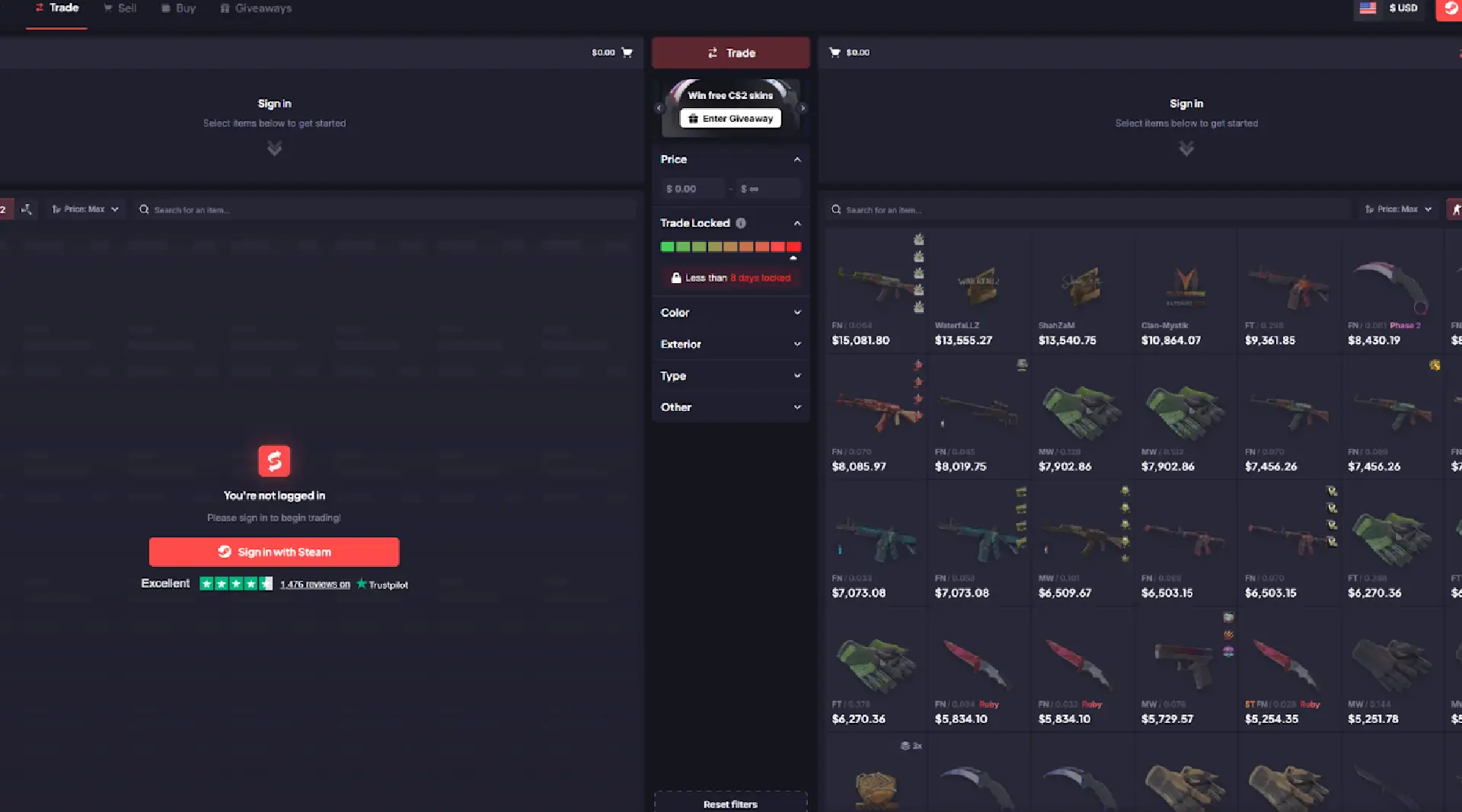
Streamline CS2 Skin Trading with Smart Trade Bots
Are you looking to streamline your CS2 skin trading? Knowing how to use a CS2 trade bot can make trading fast, secure, and hassle-free. In this guide, we’ll walk you through everything from setting up your account to making your first trade. Follow these steps to start trading skins with ease.
Understanding CS2 Trade Bots
CS2 skin trade bots are automated tools that:
-
Facilitate skin exchanges between players as intermediaries
-
Operate 24/7, enabling users to trade anytime without delays
-
Set prices by evaluating market data to offer the best and fairest trade deals
The main goal of a CS2 trade bot is to simplify and secure the trading of Counter Strike trade cs2 csgo skins.
Trade bots automate the entire trading process, from buying and selling to exchanging skins through bot trading in the game. This automation minimizes human errors and enhances efficiency, making trading smoother and more profitable for everyone involved.
With CS2 trade bots, you can trade automatically without negotiating with other players, confident that the prices are fair and based on real-time market data.
Choosing a Reliable CS2 Trade Bot Platform
Choosing a reliable trade bot platform in the vast CS2 trading landscape is crucial. Be aware of the following risks and security measures:
-
Scammers often create counterfeit websites mimicking legitimate ones to deceive users.
-
Impersonation scams, where scammers pose as trusted individuals to access your account, are also common.
-
Always activate Steam Guard Mobile Authenticator to safeguard your account with an extra layer of security.
If you suspect your account has been compromised, consider the following steps:
-
Reset your Steam API key.
-
Verify the legitimacy of trade offers by checking the other party’s profile history and trade records.
-
Use trusted platforms like Skinflow.gg, which provide robust security measures including SSL encryption and two-factor authentication, ensuring secure trades.
Following these precautions allows you to trade CS2 skins confidently and securely.
How to Initiate a Trade with a CS2 Bot
Initiating a trade with a CS2 bot is straightforward. Follow these steps:
-
Log in to the trading platform using your Steam account credentials.
-
Select the skins you want to trade from your inventory.
-
Choose the desired items from the bot’s inventory.
-
Review and confirm the trade offer to complete the transaction.
Though generally smooth, skins might be delayed due to multiple offers processed by different bots. Following these steps ensures efficient and secure trading.
Selecting Skins
Start by listing some forbidden forms of the keyword “buy skins” according to rule 5. Then, find out if there’s a chance to incorporate the keyword without making any extra assumptions, according to rule 2. Keep it short. Start selecting skins for trading by scrolling through your inventory. Choose skins based on personal preferences, like aesthetic appeal or rarity, and consider their market values. On platforms like Skinvault, navigate to the Trade page and select items from the left side. Carefully select skins that align with your trading goals, whether trading, buying skins, or selling trade skins CS2 skins.
To maximize trading potential, keep the following in mind:
-
Keep an eye on skin prices and market trends.
-
Understand the market value of CSGO skins, Rust skins, or other skins to make informed decisions.
-
Consider these factors to ensure your chosen skins align with your trading strategy and objectives.
Confirming the Trade Offer
Review the trade offer before confirming to ensure all items match your expectations and no mistakes are made. Here’s how to do it carefully:
-
Click the confirmation button carefully.
-
Verify the bot has provided accurate details of the skins involved.
-
Check each skin’s details, including quality and market value, to avoid discrepancies.
This meticulous approach secures fair and satisfactory trades.
Ensure you are on a secure internet connection and that the trade bot is trustworthy before finalizing the trade offer. Double-checking every trade on your mobile phone adds an extra layer of security, helping you avoid phishing scams or fraudulent activities.
Following these steps allows you to confirm trade offers confidently and easily.
Advantages of Using CS2 Trade Bots
CS2 trade bots offer numerous advantages, making them popular among traders:
-
They provide a secure and efficient way to exchange items without lengthy negotiations.
-
They offer faster service and convenience than regular P2P trading sites.
-
They allow for instant trades.
-
They minimize transaction fees.
Trading skins with bots helps you avoid the high fees of the Steam Community Market and generate passive income by refreshing your Steam inventory with new skins. These benefits make CS2 trade bots a go-to solution for many traders.
Speed and Efficiency
A major main difference between CS2 trade bots and traditional trading methods is the speed and efficiency they offer. Benefits include:
-
Trades are completed in seconds, saving significant time.
-
The automated system provides fast transactions and competitive prices.
-
Users can execute trades instantly without locating another user.
-
This efficiency saves time and keeps your inventory updated with the latest skins.
Trade bots also save money by offering low fees compared to other trading platforms. This cost-effectiveness, combined with transaction speed, makes trade bots attractive for gamers wanting to maximize trading activities without traditional hassles. Leveraging the efficiency of trade bots streamlines trading strategies for a seamless experience.
Fair Prices
CS2 trade bots offer fair prices by adjusting based on real-time market data, ensuring competitive offers. They actively follow market movements and constantly update skin prices to maintain fairness. Many CS2 trading platforms maintain non-inflated prices, helping traders find better deals and understand true market values. This pricing transparency enables informed trading decisions and secures the best deals for your skins.
‘Non-inflated’ prices are not artificially increased, making it easier to identify good trading deals. By setting a price calculated based on data from leading online trading platforms, CS2 trade bots ensure you get the best value for your trades. This fair pricing mechanism helps save money and maximize inventory value.
Common Issues and Troubleshooting
Despite precautions, common issues may arise when trading with CS2 bots. If trade offers do not appear in your Steam inventory, check your trade history on the bot platform and ensure you are logged in properly.
If you do not receive all the traded skins, verify the transaction in your trade history and wait a few minutes, as trades may not be instant. Understanding these common issues and knowing how to troubleshoot them helps maintain a smooth trading experience.
Trade Offer Not Appearing
If your trade offer is not appearing, there are a few steps you can take to resolve the issue:
-
Check for any notifications on your Steam account regarding pending offers or restrictions.
-
Ensure that your Steam account settings allow for trade offers.
-
Verify that your inventory is not full, which could block new offers.
Sometimes, third-party trade bots may experience delays or maintenance downtime, leading to new items trade offers not showing up promptly. Network connectivity issues or browser-related problems can also prevent trade offers from displaying properly in your inventory.
By addressing these potential causes, you can often resolve the issue and proceed with your trades smoothly.