How to Secure Crypto on iPhone After One-Tap Malicious Ad Attacks

How to Secure Crypto on iPhone After One-Tap Malicious Ad Attacks
Latest update (November 25, 2026): Apple's security page lists iOS 27.2.1, released November 9, 2026, as the newest iPhone software. Security firm Confiant published its MoldyRoost report on November 20, 2026. The report counts ad domains and countries, not victims, so the amount of stolen crypto is still unknown.
Key Takeaways on iPhone Crypto Security
A single tap on a bad ad can infect a vulnerable iPhone, says Confiant.
The attackers look for seed phrases in notes, photos, and screenshots.
The known tools hit versions up to iOS 18. Apple closed six related bugs by iOS 26.3.
The first step to secure crypto on an iPhone is to install the newest version for that model and delete saved seed phrases.
A hardware wallet keeps the keys off the phone.
Most crypto holders fear fake sites and wallet drainers. This attack works differently. On a vulnerable iPhone, one tap on an ordinary ad can be enough. This guide shows how to secure crypto on iPhone after the MoldyRoost campaign. It covers what happened, which phones are at risk, and what to do today. CoinGabbar's recovery phrase best practices explain the safest way to store a phrase.
How Can Readers Secure Crypto on iPhone Right Now?
To secure crypto on iPhone, install the latest version for that model, delete any seed phrases saved in Notes, photos, and screenshots, and move holdings to a hardware wallet if the phone ran old software. Readers should also avoid tapping ads and treat any exposed wallet as unsafe.
What the MoldyRoost One-Tap Ad Attack Really Did
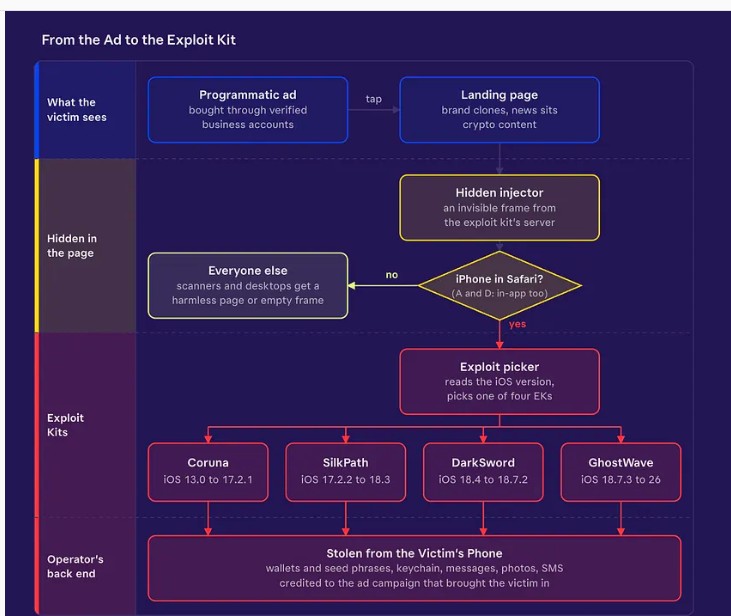
Confiant named the campaign MoldyRoost. Its researchers tied more than 480 ad domains to it between May 12 and November 17, 2026. The ads ran in more than 47 countries. Reports say the largest cluster focused on Hong Kong, Japan, and Singapore. The attackers bought ad space in bulk, the same way any advertiser can.
Confiant says that loading the landing page on a vulnerable iPhone was enough. No download or second tap was needed. The kits hunted for seed phrases, passwords, and messages. The Coruna kit can search Apple Notes for seed phrases and read QR codes in saved images. Readers can find the full findings in the Confiant MoldyRoost report.
Plain-English Glossary: Malvertising, Exploit Kits, and More
Malvertising: a bad ad that carries harmful code.
Exploit kit: a toolbox that uses software bugs to break into a device.
Seed phrase: 12 or 24 words that can rebuild a wallet. Readers can learn the basics in CoinGabbar's guide to what crypto wallets are.
Lockdown Mode: an optional Apple setting that shrinks the attack surface of the phone.
Hardware wallet: a small device that keeps keys offline.
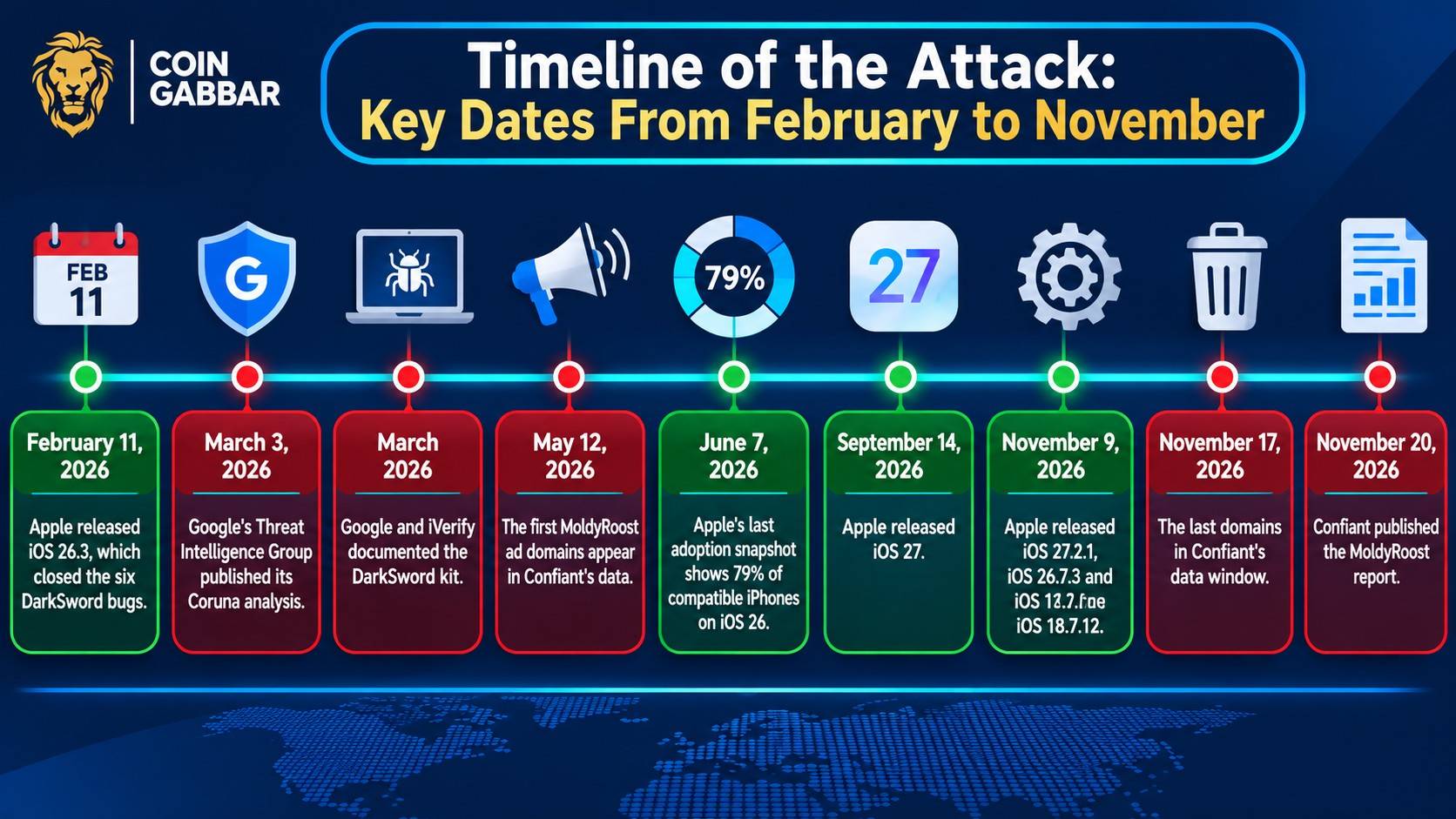
Timeline of the Attack: Key Dates From February to November
Date | What happened |
February 11, 2026 | Apple released iOS 26.3, which closed the six DarkSword bugs. |
March 3, 2026 | Google's Threat Intelligence Group published its Coruna analysis. |
March 2026 | Google and iVerify documented the DarkSword kit. |
May 12, 2026 | The first MoldyRoost ad domains appear in Confiant's data. |
June 7, 2026 | Apple's last adoption snapshot shows 79% of compatible iPhones on iOS 26. |
September 14, 2026 | Apple released iOS 27. |
November 9, 2026 | Apple released iOS 27.2.1, iOS 26.7.3 and iOS 18.7.12. |
November 17, 2026 | The last domains in Confiant's data window. |
November 20, 2026 | Confiant published the MoldyRoost report. |
Which iPhones Are at Risk? iOS Versions and Adoption Data
Kit | versions targeted | Status |
Coruna | iOS 13.0 to 17.2.1 | Google says it does not work on the latest version. |
DarkSword | iOS 18.4 to 18.7 | Apple closed its six bugs by iOS 26.3. |
Possible iOS 26 code | Unconfirmed | Confiant saw code branches, but no working exploit at publication. |
Apple's security releases page shows which build fits each phone as of November 25, 2026:
iPhone 11 and later: iOS 27.2.1, released November 9, 2026.
Phones that stay on iOS 26: iOS 26.7.3, released November 9, 2026.
iPhone XS, XS Max and XR: these cannot run iOS 27. Their newest build is version 18.7.12, released November 9, 2026.
Apple has not tied each MoldyRoost bug to a specific build. Readers should simply install the newest update offered.
Apple's developer adoption page gave a snapshot for June 7, 2026. Of all iPhones that can run version 26, 79% used it. Another 14% ran version 18, and 7% ran older versions. That snapshot came before version 27 launched, and no newer split was found. Apple updates these numbers only twice a year.
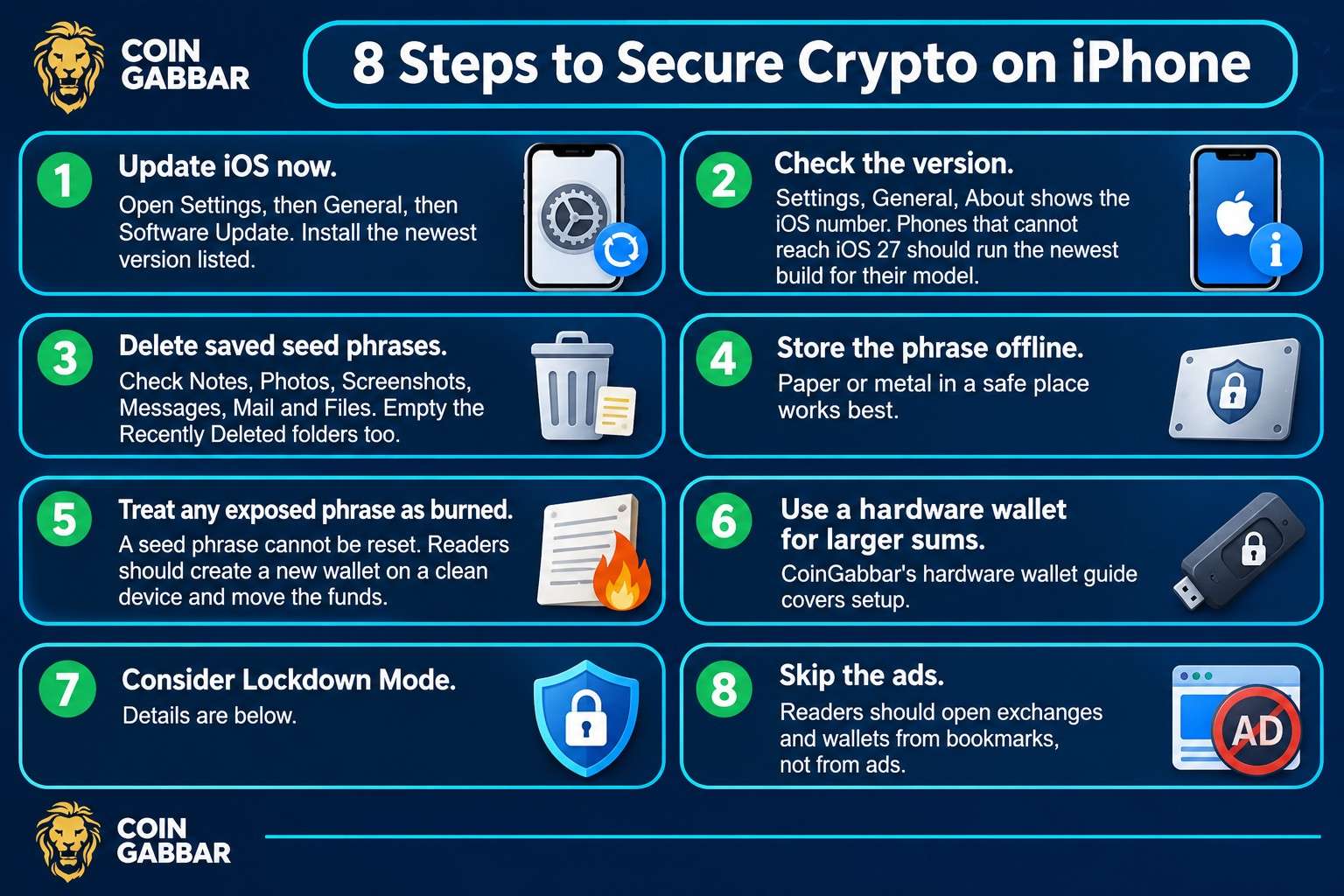
How to Secure Crypto on iPhone Today: Eight Simple Steps
Update version now: Open Settings, then General, then Software Update. Install the newest version listed.
Check the version: Settings, General, About shows the version number. Phones that cannot reach iOS 27 should run the newest build for their model.
Delete saved seed phrases: Check Notes, Photos, Screenshots, Messages, Mail, and Files. Empty the Recently Deleted folders too.
Store the phrase offline: Paper or metal in a safe place works best.
Treat any exposed phrase as burned: A seed phrase cannot be reset. Readers should create a new wallet on a clean device and move the funds.
Use a hardware wallet for larger sums: CoinGabbar's hardware wallet guide covers setup.
Consider Lockdown Mode: Details are below.
Skip the ads: Readers should open exchanges and wallets from bookmarks, not from ads.
Where Seed Phrases Hide on an iPhone and How to Remove Them
Many people save a phrase for convenience. A screenshot feels harmless. A note feels private. On an infected phone, both are easy to read.
The usual hiding places are Apple Notes, the Photos app, screenshots, and QR code images. Chat apps, email drafts, and cloud folders are next. Reports say the campaign went after phrases tied to wallets such as MetaMask, Phantom, and Trust Wallet. The bug was in the version, not in those apps. A phrase typed once into any of these places may still sit in a backup or a Recently Deleted folder.
The fix is simple. Write the words on paper or metal. Then delete every digital copy. Some wallets skip the written phrase and use passkeys. CoinGabbar's passkey wallet recovery guide shows how that works.
Lockdown Mode and Hardware Wallets: Extra Layers Explained
Apple calls Lockdown Mode an optional, extreme protection. It is meant for the very few people who may face the most advanced attacks. It limits some Safari features and many message attachments. Readers can turn it on in Settings, then Privacy and Security, then Lockdown Mode. The phone restarts afterward.
Google's Coruna report urged iPhone owners to update. It said Lockdown Mode is the fallback when an update is not possible.
A hardware wallet adds another wall. The keys stay on the device. Even so, a hacked phone could show a fake address. Readers should always check the address on the hardware wallet screen.
If an iPhone Was Compromised: A Damage Control Plan
Stop using that phone for crypto.
On a clean device, create a new wallet and move the funds first.
Change the passwords for the Apple Account, email, and exchanges.
Turn on two-factor authentication everywhere.
Tell the exchange and the local police about any theft.
Stolen crypto is hard to recover. In 2025, the FBI counted $11.366 billion in crypto-related losses, as covered in CoinGabbar's report on crypto fraud losses in 2025. Speed matters.
Disclaimer: This article is for education only. It is not financial, legal, or security advice. Crypto carries a high risk of loss. Readers should never invest money they cannot afford to lose, and should check official sources before acting.










Frequently Asked Questions (FAQ)